0%

A kids smartwatch cellular data plan should match a child’s real routines, not a parent’s guess about future needs. Does the watch need only GPS updates and brief calls, or will it send frequent voice messages and location checks? Those details shape monthly data use, coverage needs, and cost. Pew Research Center’s 2024 report, Teens, Social Media and Technology, found that 95% of U.S. teens ages 13–17 have or can access a smartphone. That figure is not a smartwatch statistic, but it shows how normal connected devices have become in family life. The GSMA’s Mobile Economy 2024 report also highlights how mobile connectivity and network availability vary by market. A plan that works well on one school route may struggle in a basement classroom. Small details matter.

Pediatrician and media researcher Dr. Jenny Radesky has emphasized that children’s technology should suit their developmental needs and family routines. That is a useful lens for choosing a plan: prioritize reliable coverage, clear parental controls, and predictable billing before chasing a large data allowance. Start with the carrier’s coverage map, then check whether the watch supports that network and plan. Ask about roaming, activation fees, and what happens when data runs out. A low monthly price can hide limits. So can an impressive data bundle. The right choice is rarely the most complicated one. Still, no plan can guarantee that a child will always be reachable; indoor signal gaps and dead batteries remain real. That deserves a second look.
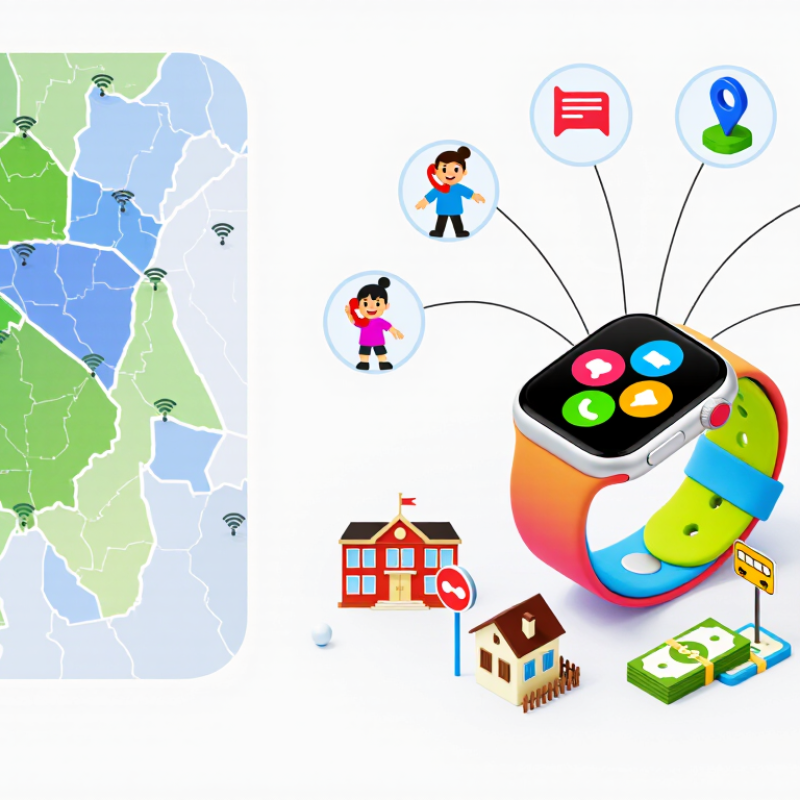
How to Choose the Best Kids Smartwatch Cellular Data Plan?

Check the Smartwatch’s Cellular Network Compatibility

A smartwatch can look ready for service yet fail to connect because its radio bands do not match the carrier’s network. Check the watch’s exact model number, supported LTE bands, and SIM type before buying a plan. A “4G” label alone is not enough. The carrier must also support the watch’s data, calling, messaging, and location features. Ask whether the device needs a specific activation process or network profile. Small details matter.

GSMA’s Mobile Economy 2024 report projected 5.5 billion 5G connections worldwide by 2030. That growth does not mean every watch supports 5G—or works on every carrier. Many children’s watches use LTE, and compatibility can vary by country and even by region. Check the carrier’s device-compatibility list, then confirm coverage at home, school, and along the usual travel route. A signal that drops inside a classroom can delay location updates and drain the battery. It is easy to overfocus on the newest network label; that can be a mistake.

Tips: Ask the carrier to verify the watch’s model and bands in writing. Check whether roaming is supported where your child travels. If possible, test the service for a few days. A map is useful, but real walls can tell a different story.

Estimate the Child’s Expected Data and Calling Needs

Estimate a normal week before comparing cellular plans. Note how often your child will check in, send messages, share their location, or use other connected features. A watch that reports location every few minutes may use more data than one checked occasionally. Small messages use little data; frequent map updates can add up. Check the watch’s settings and usage report if available. Your first estimate may be off.

For calls, multiply the usual call length by the expected number of calls each week. A three-minute check-in after school, five days a week, is about 60 minutes monthly. Confirm whether calls count against voice minutes or use mobile data; this depends on the watch and plan. Add a modest buffer for busy weeks, but avoid paying for far more than your child is likely to use. Real habits can surprise you. Review the first month’s usage, then adjust the allowance or location-update frequency if needed.

Compare Available Plans, Data Limits, and Contract Terms

A kids’ smartwatch may use little data on a quiet day, but frequent location checks, voice calls, and photo messages can change that. Compare plans by their monthly data allowance, not just the advertised price. Check whether location updates count toward data and what happens after the limit: service may slow, stop, or incur extra charges. Small details matter.

Before choosing, confirm that the plan supports the watch’s network type and SIM setup. A low-cost data-only option may not include calling or messaging. Coverage also deserves a real-world check. A signal map can look reassuring, yet the watch may lose connection inside a school or basement. Ask whether the plan includes roaming where your family actually travels.

Read the contract terms closely. Note activation costs, monthly fees, minimum commitments, cancellation charges, and any price changes after a promotional period. A month-to-month plan offers flexibility, while a longer contract may cost less overall; neither is automatically better. I would compare the full cost over the period you expect to use the watch. It is easy to overlook a small fee. Keep a little room for changing habits, too: a child who rarely calls today may call more next month.

Assess Coverage, Parental Controls, and Total Costs

Check coverage where the watch will actually travel: the school gate, bus stop, and bedroom. The FCC National Broadband Map shows reported coverage, but walls and crowded streets can weaken a signal. Coverage first. Test the intended network on the child’s usual route, and confirm that the watch supports its bands and SIM type before buying.

Parental controls should let you set approved contacts, quiet hours, and location-sharing limits. Pew Research Center’s 2023 report found that 95% of U.S. teens had access to a smartphone; that figure is not about younger children or watches, but it shows how familiar connected devices have become. Compare the plan’s monthly fee with activation, taxes, device payments, roaming, and data overages. Honestly, the cheapest option can look good until the extra charges appear.

Tips: Ask whether location updates count toward data, and check usage after the first month. Choose a modest data allowance if calls and brief location checks are the main uses. Read the cancellation terms, too. Small print matters. A plan that fits your family’s routines may still need adjusting once the watch is used every day.

Choose, Activate, and Monitor the Best-Fit Plan

A good kids smartwatch cellular data plan starts with how the watch will be used, not the largest data allowance. If your child mainly sends short messages, makes brief calls, and checks location occasionally, a modest plan may be enough. Check network compatibility and coverage near home, school, and the route between them. Coverage matters more. Confirm that calling and location features are included, since some plans require separate activation. Compare monthly fees, activation costs, data limits, and what happens when the limit is reached.

Before activating, charge the watch and follow its setup instructions on a trusted home connection. Enter the required account details carefully, then test a call and location update while the watch is nearby. Keep the child’s contact list short and explain when calling or messaging is appropriate. A plan that looks perfect on paper may not work well in a basement classroom or on a busy commute. That part is easy to overlook.

For the first month, check usage weekly in the account dashboard. Look for unexpected data spikes, failed calls, or repeated location refreshes, and adjust settings or the plan if needed. Avoid paying for a large allowance just in case; actual use is a better guide. I’d still review the bill after the first cycle, because estimates can be wrong. Teach your child to tell you if the watch stops connecting, rather than assuming it is working.

How to Choose the Best Kids Smartwatch Cellular Data Plan?

Choose, Activate, and Monitor the Best-Fit Plan

These are illustrative planning estimates, not carrier measurements. Basic location check-ins may need less data; frequent live location updates, messaging, and voice features can use more. Start with a plan that fits your child’s routine, then check usage after activation and adjust if needed.

FAQS

How can I estimate my child’s monthly data needs?

Track a normal week of messages, calls, location checks, and other connected features. Frequent map updates may use more data than occasional checks. My estimate could be wrong.

How much calling time might my child need?

Multiply the usual call length by the expected weekly calls. Five three-minute check-ins each week equal about 60 minutes monthly. Add a modest buffer.

Do calls always use voice minutes?

No. Depending on the watch and plan, calls may use voice minutes or mobile data. Check the plan details first.

How should I check coverage?

Test the network near the school gate, bus stop, and home. Walls and crowded streets can weaken signals. Coverage maps are estimates.

Which parental controls are useful?

Look for approved contacts, quiet hours, and location-sharing limits. Frequent updates may be unnecessary for your family. I might be overthinking this.

What costs should I compare?

Compare monthly fees with activation, taxes, device payments, roaming, and data overages. The cheapest option may cost more after extras.

When should I review data usage?

Check the usage report after the first month. Adjust the data allowance or location-update frequency to match real routines. Habits can surprise you.

What should I confirm before buying?

Make sure the watch supports the network’s bands and SIM type. Read the cancellation terms, too. Small print matters.

Conclusion

Choosing the right kids smartwatch cellular data plan starts with confirming that the watch supports the carrier’s network bands and service type. Then estimate how the child will use it, including calls, messages, location updates, and any connected features, so you can select a suitable data allowance without paying for more than needed. Compare plan prices, data limits, calling options, contract length, and any extra fees before making a decision.

Coverage in the places where the child spends time is just as important as price. Review available parental controls and check how they support safe, age-appropriate communication and usage limits. Consider the full ongoing cost, including activation and device-related charges. Once you have found a kids smartwatch cellular data plan that fits the watch, budget, and expected use, activate it according to the provider’s instructions. Monitor usage and charges regularly, adjusting the plan if the child’s needs change.


Ethan Brooks

Ethan Brooks

Ethan Brooks is a dedicated marketing professional with a strong understanding of the company’s products, customers, and evolving market needs. With a background in strategic communication, product education, and digital content development, Ethan transforms complex information into clear,......