Choosing a standalone kids smartwatch with cellular calling is less about finding the flashiest screen and more about matching a device to your child’s daily routine. Think about the walk home from school, a noisy playground, or a watch that needs charging before bedtime. Calling can make quick check-ins easier, but only when the watch supports a compatible cellular network and has reliable coverage where your family lives. Check the maker’s specifications and carrier requirements before buying. That small step can prevent a frustrating surprise.
The five tips ahead focus on practical details: call quality, approved contacts, battery life, location features, and a design a child can wear comfortably. Look closely at how location sharing works, what information the app collects, and which privacy controls caregivers can change. Features and accuracy vary by model, carrier, settings, and surroundings; a watch is not a substitute for adult supervision or emergency services. Keep expectations realistic. A bright display and a long feature list may look impressive, yet simple menus and dependable calls often matter more during a rushed afternoon. I would also leave room for a trial period, because a strap that feels fine in a shop may irritate a child after several hours. The right choice is the one your family can set up, understand, and use consistently.
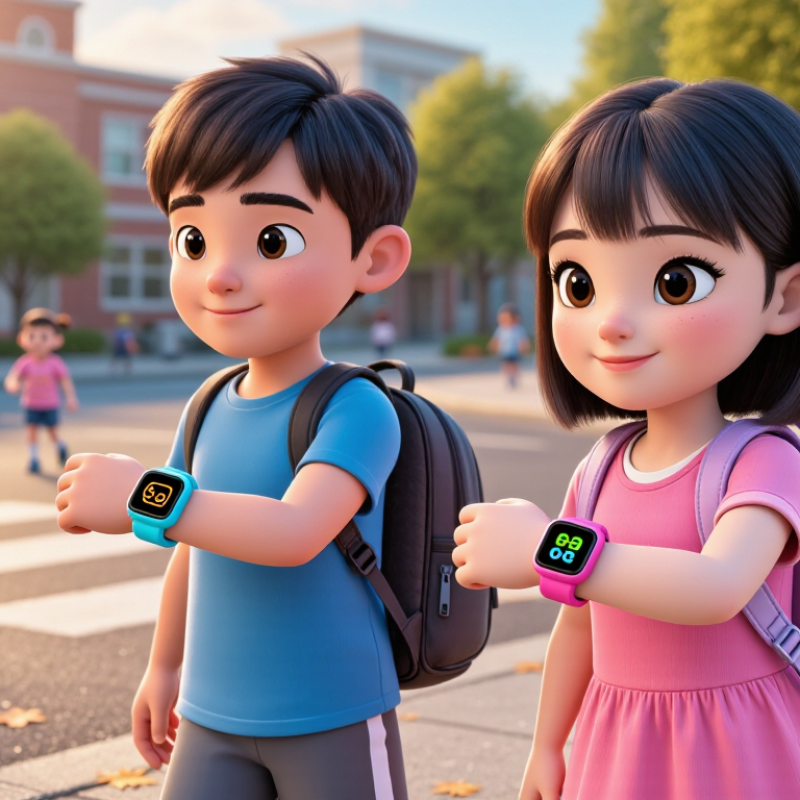
5 Tips Standalone Kids Smartwatch with Cellular Calling
A cellular plan should match your child’s real calling habits, not an adult’s usage pattern. Common Sense Media reports that 42% of children have a phone by age 10, rising to 91% by age 14. A standalone smartwatch may become a child’s first independent communication device. Start by listing approved contacts, expected weekly calls, and likely travel areas. Keep it simple.
Look beyond the monthly data allowance. Many children mainly make short voice calls, while location updates and safety features quietly use mobile data. GSMA Intelligence reported 4.7 billion mobile internet users worldwide in 2023, showing how deeply cellular access shapes daily communication. Still, global averages cannot predict your child’s needs. A small voice allowance may work for school days, but weekend visits can increase calls quickly. Check whether unused minutes expire. That detail matters.
Coverage is more important than an attractive price. Compare network availability around the home, school, and regular activity locations. Ask whether the plan supports voice calling, messaging, location services, and emergency contact access. A modest data plan with flexible upgrades may be safer than a large fixed package. I have found that parents often overestimate video-related data use on watches, then overlook call limits. That is an easy mistake. Review the first month’s call records, remove unnecessary features, and adjust carefully. Check roaming rules before travel.aval.
| Tip | Calling Pattern | Recommended Cellular Plan | Typical Monthly Cost (USD) | Suggested Allowance | Key Features to Check | Best For |
|---|---|---|---|---|---|---|
| 1 | Occasional check-ins, usually fewer than 20 short calls per month | Basic Talk-and-Text Plan | $5–$10 | 50–100 voice minutes, unlimited or high-limit text messages, 50–250 MB of data | Approved-contact calling, voicemail, caller ID, and low-data alerts | Children who mainly use the watch for after-school check-ins |
| 2 | Regular daily calls to parents or approved contacts | Moderate Calling Plan | $10–$20 | 250–500 voice minutes, unlimited texts, 250 MB–1 GB of data | Reliable nationwide coverage, contact restrictions, and parental call history | Primary-school children with a predictable daily calling routine |
| 3 | Frequent calls, voice messages, location updates, and occasional video or media use | Calling-and-Data Plan | $15–$25 | 500–1,000 voice minutes, unlimited texts, 1–3 GB of data | Data usage controls, GPS support, battery-saving options, and automatic top-up limits | Active children who use calling, location sharing, and messaging features often |
| 4 | Irregular use, travel, school holidays, or backup communication only | Prepaid Flexible Plan | $10–$25 per month or pay-as-you-go | Usage-based minutes and data; select a package that does not expire too quickly | No long-term contract, easy renewal, balance notifications, and international roaming rules | Families that want spending control or use the watch only at certain times |
| 5 | High availability needs, including emergency calling and frequent two-way communication | High-Coverage Safety Plan | $20–$35 | Unlimited voice and text, 1–5 GB of data, with emergency-call capability where supported | Coverage in the child’s main locations, emergency calling, GPS accuracy, service-area limits, and device compatibility | Children who travel between school, activities, caregivers, and outdoor locations |
| Selection note: Confirm that the plan supports the watch’s cellular technology, SIM or eSIM format, frequency bands, and activation requirements. Monthly prices are typical U.S. market ranges for low-usage wearable or prepaid service and may vary by location, taxes, device fees, and data requirements. | ||||||
Match the plan to approved contacts and expected weekly calls. A small voice allowance may suit school days. Weekend visits can increase calling quickly. Check whether unused minutes expire.
Yes. Location updates and safety tools may use data quietly. A modest data plan with flexible upgrades may be enough. Do not assume video uses most of the data.
Test coverage around home, school, and regular activity areas. Confirm support for calls, messages, location services, and emergency contacts. A cheap plan is not useful with weak coverage.
Choose a sturdy case, raised screen edges, and a soft strap. It should handle playground dust, rain, and small drops. Water resistance does not always allow swimming. Check the manual.
Look for large icons, simple menus, and easy-to-find buttons. Limit calls to approved contacts. Test the emergency button together because accidental presses can happen.
Confirm that cellular calling works independently. Check network compatibility and local coverage. The speaker should remain clear in a noisy hallway. This detail is easy to miss.
Practise a short routine: introduce yourself, explain the reason, and end politely. Children should avoid sharing their location. Unknown callers should be discussed with a trusted adult. Rehearsal works better than one serious talk.
Check the battery every evening. Charge it on a hard, dry surface away from bedding. Inspect the cable and case for damage. Review settings as independence grows; I might otherwise overlook small changes.
A standalone kids smartwatch with cellular calling can help children stay connected while giving parents practical ways to support safe, independent communication. Start by choosing a cellular plan that matches how often your child is likely to call and whether the watch needs data for additional features. Set up trusted contacts and review the emergency-calling options together so your child knows whom to reach and how to ask for help.
Before daily use, adjust location-sharing and privacy settings to suit your family, and explain when location information is shared. Choose a durable watch with simple, child-friendly controls that your child can operate comfortably. Finally, teach basic calling habits, such as answering only familiar contacts and speaking clearly, and make checking the battery part of the daily routine. These steps can make the watch easier to use and help families feel more prepared.