0%

Choosing the top kids smartwatch with built-in sim card requires more than checking colors, games, or screen size. Reliable connectivity matters when a child walks home, visits a park, or waits outside school.

Industry data supports this growing interest. GSMA’s Mobile Economy 2024 report estimated 5.5 billion people used mobile internet worldwide in 2023. That figure shows how deeply connected services shape daily communication. IDC’s Worldwide Quarterly Wearable Device Tracker also identifies smartwatches as a major wearable category, although children’s models remain a smaller and less transparent segment. Market claims can be impressive. They are not always comparable.

A strong children’s smartwatch should combine dependable 4G support, accurate location tracking, controlled calling, and a clear parent application. It should also offer practical battery life. A device that dies before the afternoon pickup is not genuinely useful. Look for an SOS button that responds quickly, location updates that work outdoors, and geofencing that does not create constant false alarms. Ofcom’s Children and Parents: Media Use and Attitudes Report highlights how widely connected devices influence children’s routines, making privacy settings and parental controls essential.

No single model fits every family. Carrier compatibility, local network coverage, school policies, and the child’s age can change the decision. Independent testing is still limited, and advertised tracking accuracy may vary between buildings, parks, and crowded streets. This guide examines leading options through practical experience, technical specifications, safety features, and user-focused value. The goal is not to praise the most expensive watch. It is to identify the model that remains dependable when real life becomes unpredictable.
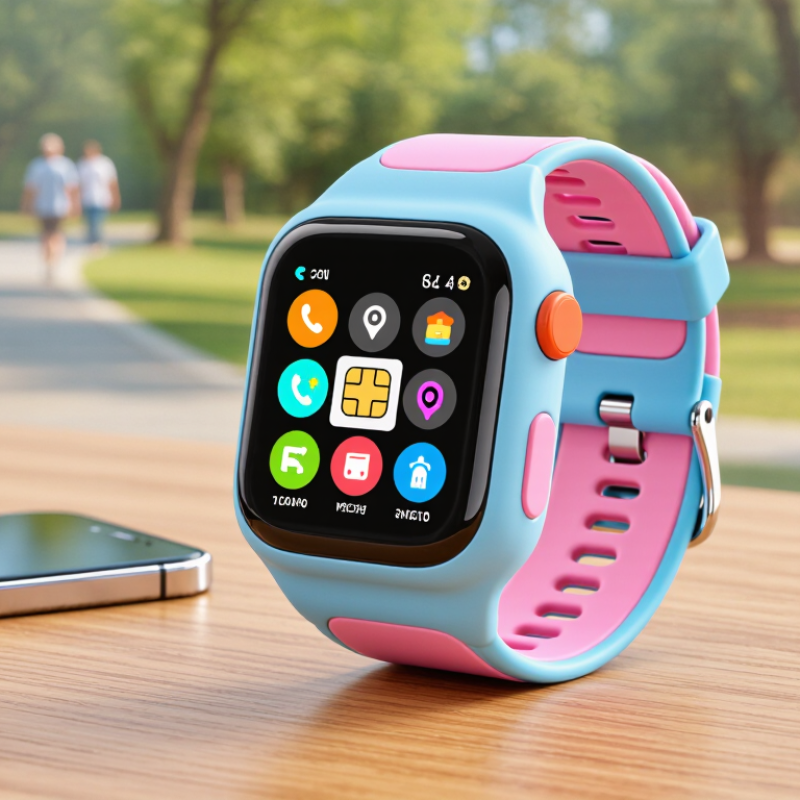
Top Kids Smartwatch With Built In SIM Card

What Is a Kids Smartwatch With a Built-In SIM Card?

A kids smartwatch with a built-in SIM card is a small wearable with cellular connectivity inside. It can connect to a mobile network without a parent’s phone nearby. The SIM may be a physical card or an embedded eSIM. This difference matters because eSIMs are harder to remove, while physical cards may be easier to replace. The watch usually supports voice calls, location sharing, messaging, and emergency contact functions.

GSMA Intelligence reported that licensed cellular IoT connections reached about 3.5 billion in 2023. The same report projects nearly 5.8 billion by 2030. A children’s smartwatch is one simple example of this wider connected-device growth. In practical use, a child might call from a school gate, while a parent checks a location map. GPS can still drift near tall buildings or indoors. That limitation is easy to overlook.

A reliable model needs more than a SIM slot. Check network compatibility, monthly data costs, battery endurance, and contact controls. The watch should allow approved numbers only. Location data should use secure accounts and clear permission settings. The International Data Corporation expects worldwide data creation to keep expanding rapidly, reaching about 181 zettabytes by 2025. More connected data also means more responsibility. A built-in SIM does not automatically make a watch safe or accurate. Battery loss, weak coverage, and delayed positioning can interrupt communication. That is the part many product descriptions understate.

How Built-In SIM Cards Enable Calling, Messaging, and Location Tracking

A kids smartwatch with a built-in SIM card can connect without a parent’s phone nearby. The SIM links the watch to a mobile network for calls, messages, and location updates. Setup is usually simple. A parent activates a suitable plan, adds approved contacts, and checks the watch’s permissions. When a child taps a saved contact, the watch can place a voice call. Some models also support short voice messages or preset text alerts. That feels reassuring during school travel, sports practice, or a walk home.

Messaging works best when the watch has clear buttons and a simple menu. Children can send an alert such as “I arrived” without typing a long sentence. Parents should test message delivery in different places, because buildings and crowded areas can weaken the signal. Battery life also matters. Frequent calls and location updates may drain power before bedtime. I once assumed a full battery would last all day, but repeated tracking changed that result.

Location tracking generally uses GPS, mobile networks, and nearby Wi-Fi signals. GPS can show a child’s position outdoors, while indoor accuracy may vary by several meters or more. Parents can view updates through a secure account and create agreed safe zones, such as home or school. These tools need honest limits. Tracking is not a substitute for teaching children where to go or whom to contact. Check privacy controls carefully, limit access to trusted adults, and explain the watch in language the child understands.

Key Safety and Parental Control Features to Evaluate

A kids smartwatch with a built-in SIM card can support calls, location sharing, and emergency contact features without needing a phone. The SIM should connect reliably to local networks and include a clear data plan. Check coverage near home, school, and regular travel routes. A weak signal can delay communication.

Safety controls deserve careful testing. Look for GPS location updates, customizable safe zones, and alerts when a child leaves them. GPS is not perfect. Buildings, weather, and crowded streets may reduce accuracy. An SOS button should contact selected guardians quickly, while approved-contact settings block unknown callers. Two-way voice messages can help, but parents should confirm how recordings and location data are stored.

Parental controls should also include school mode, quiet hours, and remote device locking. These settings reduce distractions during lessons and limit unwanted use at night. Test the watch with your child before relying on it. Ask them to press SOS, answer a call, and explain what the location alert means. Battery life matters too; a dead watch offers no protection. I once overlooked charging routines when evaluating a device, and that small mistake weakened every safety feature. Parents should review permissions regularly, because convenience can quietly become excessive monitoring. A clear family agreement may protect trust better than constant checking.

How to Choose the Best Smartwatch for a Child’s Age and Needs

Choosing a top kids smartwatch with a built-in SIM card starts with the child’s age, not the feature list. A five-year-old may need simple calling, location sharing, and a large emergency button. An older child may value quiet messaging, activity tracking, and limited app access. Test the watch together. Can the child answer a call without help? Is the menu clear under bright sunlight? Small details matter.

Check the SIM plan carefully. It should support reliable calls and location updates in your area. Ask how often location data refreshes, how long the battery lasts, and whether contacts require adult approval. For younger children, geofencing can alert caregivers when they leave a familiar route. However, location tools are not perfect. Buildings, weather, and weak signals may reduce accuracy. Treat alerts as helpful information, not absolute proof.

Comfort and privacy deserve equal attention. Choose a soft strap, secure clasp, and water resistance suited to daily play. Review microphone permissions and data storage policies before activation. Schools may restrict connected watches during lessons, so confirm local rules. I would also practice a lost-watch routine with the child. That step is easy to overlook. A durable design helps, but no smartwatch replaces teaching children when to ask a trusted adult for help.

Setup, Everyday Use, and Important Privacy Considerations

A kids smartwatch with a built-in SIM card can simplify daily communication, but setup deserves patience. I activate the SIM through the approved service portal, then confirm coverage, data limits, and emergency contacts. The watch should receive calls before a child wears it outside. I also test location updates near home, where walls can affect accuracy. My first setup took longer than expected.

For everyday use, I charge the watch overnight and check the battery before school. A short voice message is often easier than typing on its small screen. Location alerts should support safety, not constant surveillance. I set practical zones, such as school and home, and explain them clearly to the child. The device becomes less stressful when children understand why tracking is enabled.

Privacy needs equal attention. I use a strong account password and enable two-step verification when available. Only necessary contacts should be added. Avoid uploading detailed routines, classroom information, or unnecessary photos. I review location history regularly and delete older records when the service allows it. The watch may share data with servers, support teams, or connected applications. Read the privacy policy carefully, especially its retention and deletion terms. Check school rules before using recording or location features. I once focused too much on convenience and overlooked how much routine data the watch collected. That mistake still deserves reflection.

FAQS

What should I check before activating a kids smartwatch with a SIM card?

Confirm local network coverage, data limits, and emergency contact settings. Test calls near home, school, and travel routes. My first setup took longer than expected.

How reliable is the watch’s GPS location?

GPS can show useful updates, but it is not exact. Buildings, weather, and crowded streets may reduce accuracy. Treat locations as guidance, not proof.

What should happen when a child presses the SOS button?

The button should contact selected guardians quickly. Test it with your child indoors and outdoors. Make sure they know when pressing it is appropriate.

Can the watch block unknown callers?

Yes, approved-contact settings can limit calls and messages. Add only necessary people. Review the list regularly, because old permissions can remain unnoticed.

How can parents reduce distractions during school and bedtime?

Use school mode and quiet hours. These settings can limit calls, messages, and other interruptions. Keep the rules simple and visible.

How often should the watch be charged?

Charge it overnight and check the battery before school. A dead watch provides no location or emergency support. I once overlooked charging routines, and that weakened every safety feature.

How should families use location alerts responsibly?

Set practical zones around home and school. Explain the alerts clearly to the child. Safety matters, but constant checking may damage trust.

What privacy steps should parents take?

Use a strong password and two-step verification when available. Avoid uploading detailed routines, classroom information, or unnecessary photos. Review stored location history and delete older records when possible. Read retention terms carefully.

Conclusion

A kids smartwatch with built-in sim card combines the basic functions of a watch, phone, and safety device in one child-friendly design. It can support voice calls, messaging, and location tracking without requiring a separate smartphone, helping parents stay connected with their children throughout the day. Depending on the model, useful features may include GPS updates, approved-contact lists, emergency alerts, school-mode settings, and activity reminders.

When choosing a smartwatch, parents should consider the child’s age, maturity, wearing comfort, battery life, durability, and the level of communication needed. Setup should include activating the service, adding trusted contacts, adjusting privacy settings, and explaining responsible everyday use. Parents should also review how location data is stored and shared, limit access to approved users, and regularly check permissions and software updates. A thoughtful choice can provide reassurance while still respecting a child’s growing independence.


Ethan Brooks

Ethan Brooks

Ethan Brooks is a dedicated marketing professional with a strong understanding of the company’s products, customers, and evolving market needs. With a background in strategic communication, product education, and digital content development, Ethan transforms complex information into clear,......