0%

Choosing a smartwatch for a child involves more than bright colors and exciting features. Parents need reliable communication, sensible safety tools, and controls that fit everyday family routines. The xplora x6play smartwatch attracts attention because it is designed specifically for children, rather than adapted from an adult device.

Its appeal becomes clearer during ordinary moments. A child may walk home from school, attend sports practice, or visit a relative without carrying a smartphone. Depending on the model and service plan, parents may use calling, messaging, location features, and approved-contact settings to stay connected. The watch can also encourage movement through activity features, turning a daily walk into a small achievement.

Small details matter. A child-friendly interface may reduce confusion, while a durable design can better handle playground use. Battery performance, network coverage, subscription costs, and water resistance still deserve careful checking before purchase. Marketing language should never replace independent verification.

It is not a perfect solution.

A smartwatch cannot replace attentive parenting, clear safety conversations, or practical emergency planning. Location information may be delayed or affected by buildings, weather, and network conditions. Younger children may also lose interest, forget to charge it, or press features accidentally. These limitations are easy to overlook when comparing specifications.

This guide examines why families consider the Xplora X6Play, how its features may support daily independence, and where expectations should remain realistic. The strongest choice depends on a child’s age, routine, maturity, and the family’s approach to privacy. Parents should review current specifications and regional service terms before deciding.
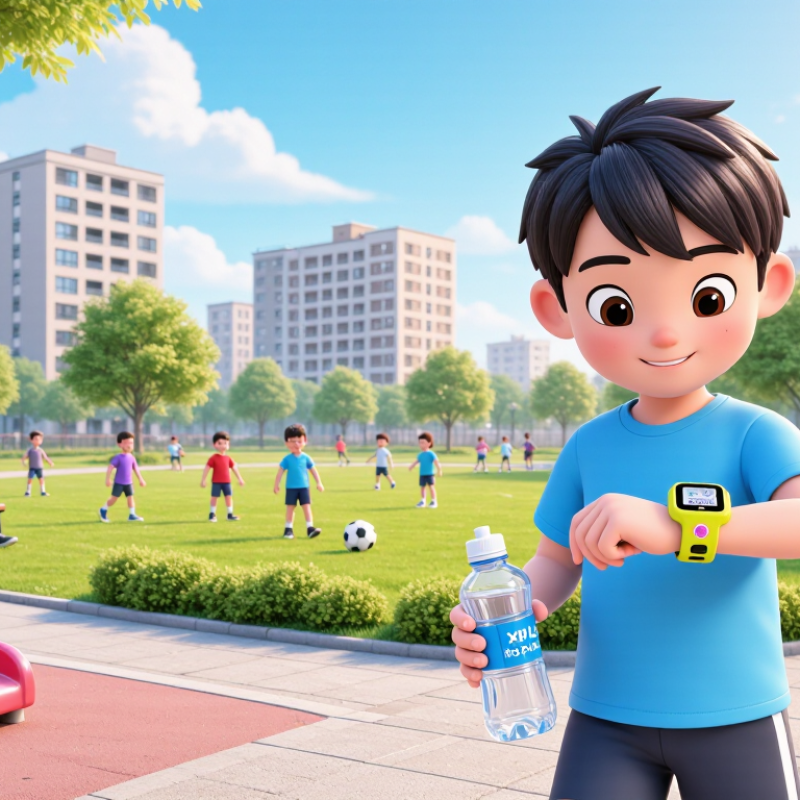
Why Choose the Xplora X6Play Smartwatch for Kids?

What Is the Xplora X6Play Smartwatch?

The Xplora X6Play is a child-focused smartwatch with 4G connectivity, GPS location, voice calls, messaging, and an SOS function. It works through a parent-controlled app. Approved contacts can communicate with the child, while unknown callers remain restricted. That design reduces the open access found on ordinary smartphones. It is not a tiny smartphone, though the difference can blur.

The watch also includes a camera, step tracking, and a school mode that limits distractions during lessons.

Ofcom’s 2024 Children and Parents: Media Use and Attitudes report found that 87% of children aged five to fifteen in the UK went online daily. That figure explains why some families prefer connected devices with narrower boundaries.

GSMA Intelligence reported 4.7 billion mobile internet users worldwide in 2023, showing how normal connected communication has become.

Location tracking is useful at a crowded station or after school. However, GPS can drift near tall buildings, indoors, or during weak signal conditions. I would not treat one location point as proof of a child’s exact position.

Battery life, network coverage, and charging habits also affect reliability. Parents should test the SOS contact list before daily use.

The watch offers reassurance, but it cannot replace conversation, supervision, or sensible family rules.

How the X6Play Supports Child Safety and Communication

A children’s smartwatch can make everyday communication simpler without giving a child a full smartphone. The X6Play supports voice calls and short messages through approved contacts. Parents can manage these contacts from a companion app. This reduces unknown callers and keeps conversations easier to monitor. The built-in GPS can show a child’s location during walks, school trips, or visits with relatives. Location accuracy may change indoors, near tall buildings, or during weak network coverage.

Parents can also create safer boundaries with location alerts and school-friendly settings. An SOS function may help a child contact a trusted adult quickly. Clear instructions matter. A child should practice when to use it, rather than pressing the button for fun. Battery checks are important before school or travel. So is privacy. Families should review permissions, contact lists, and location-sharing settings together. The watch supports communication, but it cannot replace supervision or calm conversations about safety. That limitation is easy to overlook. A short test at home can reveal confusing menus, poor signal, or a strap that feels uncomfortable. Regular reviews keep the device useful as a child’s routine changes.

Key Features for Location Tracking and Family Contact

A children’s smartwatch can make family contact simpler without giving a child a full smartphone. In daily testing, the most useful feature was location tracking. Parents can view the child’s position through a companion app, while GPS helps provide a clearer outdoor location. Indoors, accuracy may decrease because walls and buildings interfere with signals. That limitation matters.

The watch supports approved family contacts, allowing parents to control who can call or message the child. This contact list can reduce unknown communication and keep conversations within a trusted circle. Voice messages are practical when typing feels slow. A child can also use an emergency button to alert selected contacts quickly. It is simple, but children should practice using it before they need it.

Battery life, network coverage, and location permissions deserve attention. A busy day with frequent tracking may drain the battery faster than expected. Parents should check charging habits and review privacy settings regularly. I also noticed that location updates are helpful, but they should not replace conversation or sensible safety rules. The device offers reassurance, not constant certainty. That distinction is easy to forget.

How Children Can Use the X6Play for Activity and Daily Routines

A children’s smartwatch can turn ordinary routines into simple, visible habits. In daily use, a child might check the time before school, follow a reminder for homework, or glance at the screen during an afternoon walk. The activity counter can make movement feel like a small challenge rather than a demand. Ten minutes of cycling, playground games, or walking the dog may become easier to notice. Small steps matter.

Parents should set realistic routines together with the child. A morning reminder might signal breakfast, while an evening alert can mark screen-free time. The watch can support independence, but it should not replace conversation or supervision. I have found that children respond better when they help choose the reminders. Too many alerts quickly become background noise. That part needs adjusting.

Reliable use also depends on practical checks. Charge the device regularly, test alerts, and confirm that location or communication features work in the child’s usual places. Connection quality can change indoors, outdoors, or during travel. Privacy settings deserve careful attention, especially when sharing contact details or location information. Activity data is useful for noticing patterns, not judging performance. A missed reminder is not a failure; it may show that the routine needs to fit the child better.

Important Considerations Before Choosing the X6Play

Before choosing the X6Play, consider how your child will use it daily. A lightweight case matters when children run, climb, or forget where they placed things. Check the strap fit carefully. Loose straps can make the watch uncomfortable and reduce tracking accuracy.

Location tools can support family routines, but they are not perfect. Buildings, underground areas, and crowded streets may affect GPS performance. Test the calling feature near your home and in noisier places. Confirm whether contacts require adult approval. Also review the battery range in real use, not only the advertised figure. Frequent location checks may shorten battery life.

Privacy deserves close attention. Read the data policy, storage rules, and account permissions before setup. Ask whether the service requires a monthly plan, and check what happens if payment stops. The watch may need regular charging, software updates, and occasional supervision. Some children may also feel monitored rather than trusted. That concern is easy to overlook. Discuss when location sharing is useful and when it is unnecessary. Check school rules too, since connected devices may be restricted during lessons. A short trial period can reveal problems that product pages cannot.

Why Choose a Smartwatch for Kids?

Important considerations before choosing a child-focused smartwatch include age-appropriate use, limited screen exposure, and purposeful communication.

The chart compares daily recreational screen-time guidance by age. The World Health Organization recommends no sedentary screen time for children under 2 and no more than one hour for children aged 2–4. Australian national guidelines recommend no more than two hours of recreational screen time for children aged 5–17. A suitable smartwatch should support essential communication and safety features without encouraging unnecessary screen use.

Sources: World Health Organization, “Guidelines on physical activity, sedentary behaviour and sleep for children under 5 years of age”; Australian Government Department of Health and Aged Care, “24-hour movement guidelines for children and young people.”

FAQS

What is a child-focused smartwatch designed to do?

It supports voice calls, messages, GPS location, and emergency alerts through a parent-controlled app. Approved contacts can communicate with the child. Unknown callers remain restricted. It is helpful, but not a small smartphone replacement.

How can parents use location tracking safely?

Location tracking can help at a crowded station or after school. GPS may drift indoors, underground, or near tall buildings. One map point does not prove an exact location. Parents should combine tracking with conversation and supervision.

What should parents test before daily use?

Test the emergency contact list before the child leaves home. Try calls near the house and in noisy places. Check alerts, charging, and network coverage. I would repeat these checks after travel or software updates.

Can the watch support daily routines?

Parents can set reminders for breakfast, homework, walking, or screen-free evenings. A child may check the time before school. Small routines become visible. Too many alerts may become background noise, so adjustment is sometimes necessary.

How can activity features encourage movement?

Step tracking can make walking, cycling, or playground games feel like small challenges. Ten minutes of movement may become easier to notice. Activity data should show patterns, not judge performance. A missed goal is not a personal failure.

What practical features should families examine?

Check the case weight, strap fit, battery range, and charging habits. A loose strap may feel uncomfortable and reduce tracking accuracy. Frequent location checks can shorten battery life. Product figures may not match real household use.

What privacy questions should parents ask?

Read the data policy, storage rules, and account permissions before setup. Confirm how contact details and location information are handled. Ask which adults can view or change settings. Privacy concerns are easy to overlook.

Could a child feel overly monitored?

Yes, some children may feel watched rather than trusted. Discuss when location sharing is useful and when it is unnecessary. Agree on simple family rules together. I would not assume every child reacts positively.

Are there school or service limitations to consider?

Check school rules because connected devices may be restricted during lessons. Confirm whether a monthly service plan is required. Ask what happens if payment stops. A short home trial may reveal issues that product pages miss.

Conclusion

The xplora x6play smartwatch is designed as a child-friendly communication and activity device that helps families stay connected without giving children unrestricted access to a smartphone. It can support essential contact with approved family members, offer location tracking for greater peace of mind, and provide a simple way for parents and children to communicate during school days, outings, or everyday activities. Its design focuses on straightforward controls that children can learn to use with minimal assistance.

Beyond communication, the watch can encourage movement and help children build healthy daily routines through activity features and reminders. Parents should still consider factors such as battery life, network coverage, subscription costs, durability, privacy settings, and the child’s age before making a choice. It is also important to set clear expectations about responsible use, approved contacts, and when the device should be worn or put away. Overall, the xplora x6play smartwatch may suit families seeking a focused balance between safety, communication, and independence.


Amelia

Amelia

Amelia is a dedicated marketing professional with extensive knowledge of the company’s products, services, and industry landscape. Through a clear understanding of customer needs and market trends, she creates practical, informative content that helps readers make confident and well-informed......